- DVD Region Killer
- 軟體版本 : 2.7.0.2
- 軟體分類 : 18影片相關 (BD/DVD 播放)
- 語言介面 : 英文
- 作業系統 : Windows(10以下)
- 軟體性質 : 免費軟體
- 使用限制 : 非商業使用
- 檔案大小 : 183 KB
- 官方網站 : Elaborate Bytes AG, Cham, Switzerland
- 點閱次數 : 56,544下載次數 : 14,868
- 更新時間 : 2002/12/5 下午 12:53:28
軟體簡介
全世界的 DVD 光碟總共有 6 區(Region),例如:美國是 1 區(Region 1)、歐洲是 2 區(Region 2),所以如果你的 DVD 光碟機與 DVD 光碟片不同區,就無法播放。著名的 DVD 播放軟體 DVD Genie 可以讓你切換分區。然而現在更有了作業系統的判別,由 CloneCD 出版公司 Elaborate Bytes 所出版的 DVD Region Killer 可以搭配 DVD 播放軟體使用,它的功能在於:讓 DVD 光碟片的分區及作業系統判別的功能不產生作用!順利播放有限制的 DVD 光碟。
說明介紹
IMPORTANT! If you are using CloneCD3 under Windows 2000 or XP, please update to CloneCD 3.2.3.1 before installing DVD Region Killer 2! Requirements You will need a region free DVD-ROM drive. Region protected (RPC-2) DVD-ROMs will not work, except the disc to be played is not protected with the CSS copy protection system. DVD Region Killer requires Windows 95, 98 ME, 2000 or XP to run. Windows NT is not supported. You will need a DVD software or hardware decoder. Some DVD titles to play are helpful, too. Windows 2000/XP: DVD Region Killer will not work on Windows 2000/XP with DVD Player software which uses an ASPI Layer. If your player software does use an ASPI Layer, you should update it, e.g. the newest versions of Cinemaster, ELSA, ATI or PowerDVD do not use ASPI under Windows 2000/XP. Windows 95/98/ME: Before installing DVD Region Killer, make sure that the old DVD Region Killer is uninstalled! These two programs try to do the same thing in different ways, which *will* cause trouble. Make sure, that after uninstalling the old DVD Region Killer the file RegKill.vxd is deleted from C:\WINDOWS\SYSTEM\IOSUBSYS!
版本說明
x64/x86_64 : 64 位元x32/x86/i386 : 32 位元amd64 : Intel/AMD 64 位元arm64/aarch64 : arm 64 位元安裝版 : 軟體需經過安裝程序才可執行免安裝版/可攜式版 : 軟體不需安裝即可執行
網編推薦.
多語 Files 4.0.38 for Windows App-Installer
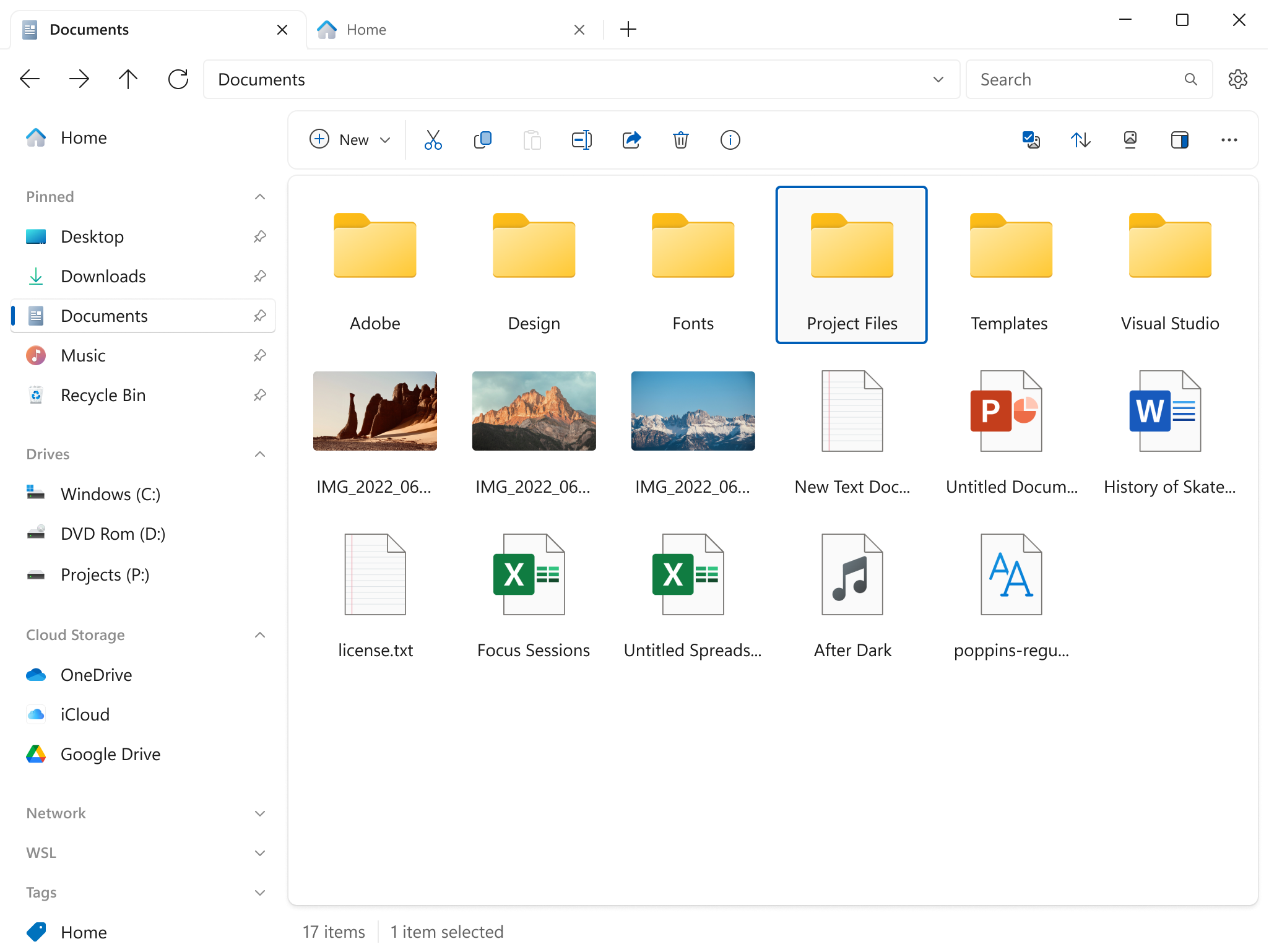
Files 是一款適用於 Windows 的檔案管理器,具有強大而直觀的設計,它具有多個選項卡、窗格、列、上下文選單和標籤中的shell擴展等功能。
磁碟機部分列出了所有可用的存儲設備,並顯示可用空間量以及總容量。
您瀏覽的檔案顯示在「最近的項目」下,您可以右鍵點擊某個項目以將其從列表中刪除或清除整個列表。
窗格頂部的工具欄類似於 Web 瀏覽器的導航控件。它有 4 個選項後退、前進、上一級和刷新。
最新焦點

OpenClaw 2026.5.2 for macOS
OpenClaw 是一款在您自己的裝置上運作的個人 AI 助理。
網編推薦.
多語 OpenShot 3.5.1 for Windows x64
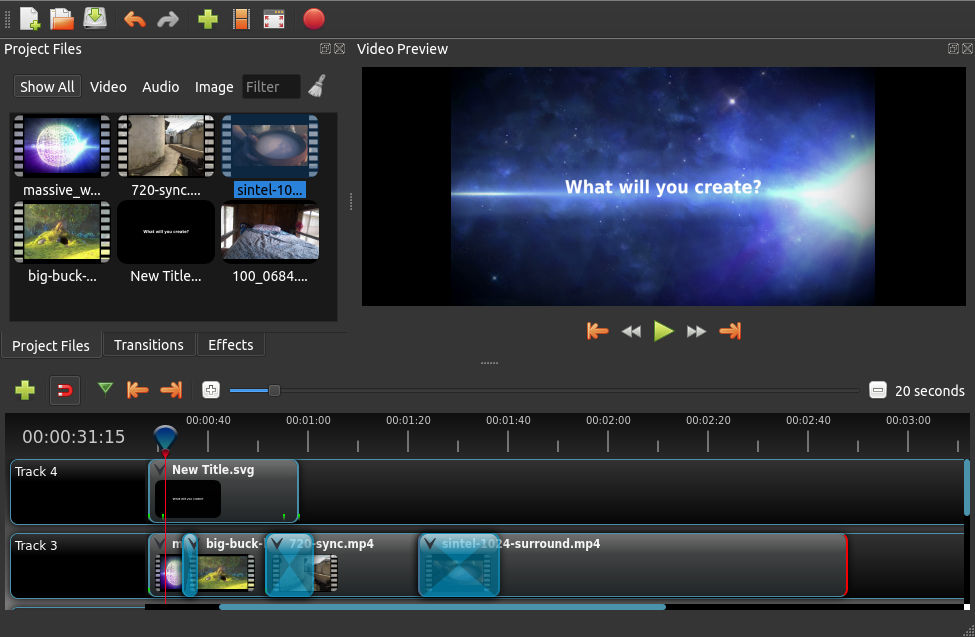
一套易於使用、學習快速、功能強大的視訊編輯器軟體,而且 100% 免費且開放原始碼。
OpenShot 是以不同的編程語言編成。界面是用Python 及 PyQt5建成。我們的視訊處理終端(libopenshot)是以C++建成,並使用FFmpeg。使用HTML5、JavaScript和AngularJS構建交互式拖放時間軸。我們大部分先進的3D效果和動畫是由Blender支援。