- Jana Server
- 軟體版本 : 2.3
- 軟體分類 : 5架站工具 (代理伺服器)
- 語言介面 : 英文
- 作業系統 : Windows(10以下)
- 軟體性質 : 免費軟體
- 使用限制 : 非商業使用
- 檔案大小 : 2.17 MB
- 官方網站 : Thomas Hauck
- 點閱次數 : 26,920下載次數 : 3,002
- 更新時間 : 2003/4/18 下午 12:07:08
軟體簡介
Jana Server - All-In-One 的全功能伺服器,由德國資深軟體工程師所設計,以 Http / Ftp 代理伺服器為主要功能,其他功能還有:Http Server、Ftp Server、Email Server、Nntp ( News ) Server、Telnet gateway..等等,採用獨特的網頁管理介面,支援 Perl/CGI 及 PHP3 / 4 指令碼,亦可用於網頁的測試或建立內部網路。
說明介紹
Jana Server 所提供的伺服器功能: * Http / Ftp Proxy Server * Proxy Cache * SSL support for integrated servers and email transport. * Http Server - CGI for PHP, Perl and ASP - SSI ( Server Side Includes ) - Protected directories with .htaccess und .htpasswd - Virtual hostnames * Ftp Server - Banner text possible - IP-address and / or domain names lockable for anonymous acces on directories - Maximum access controllable - Brute Force Attack protectionFtp Gateway * Email Server - Pop3 / Smtp - Integration to external Virus Scanner - Integration of spamfilter possible - External programs can be started upon email receipt - Notification, redirection, copy functions (bcc) - Internal email delivery - Local email addresses - Email groups * Nntp ( News ) Server * DNS Forwarder / Server * Sntp ( Time ) Server * Socks 4/5 Proxy for e.g. - ICQ - Homebanking - VNC - etc. * Telnet gateway * RealPlayer proxy * Extra gateways 注意:個人使用為免費,商業用途可試用 30 天,關於註冊問題可寫信給作者 lizenz@janaserver.de!
版本說明
x64/x86_64 : 64 位元x32/x86/i386 : 32 位元amd64 : Intel/AMD 64 位元arm64/aarch64 : arm 64 位元安裝版 : 軟體需經過安裝程序才可執行免安裝版/可攜式版 : 軟體不需安裝即可執行
網編推薦.

多語 Geek Uninstaller Free 1.5.3.170
簡單、快速、易用的軟體反安裝軟體,可以讓我們徹底地移除軟體。
網編推薦.
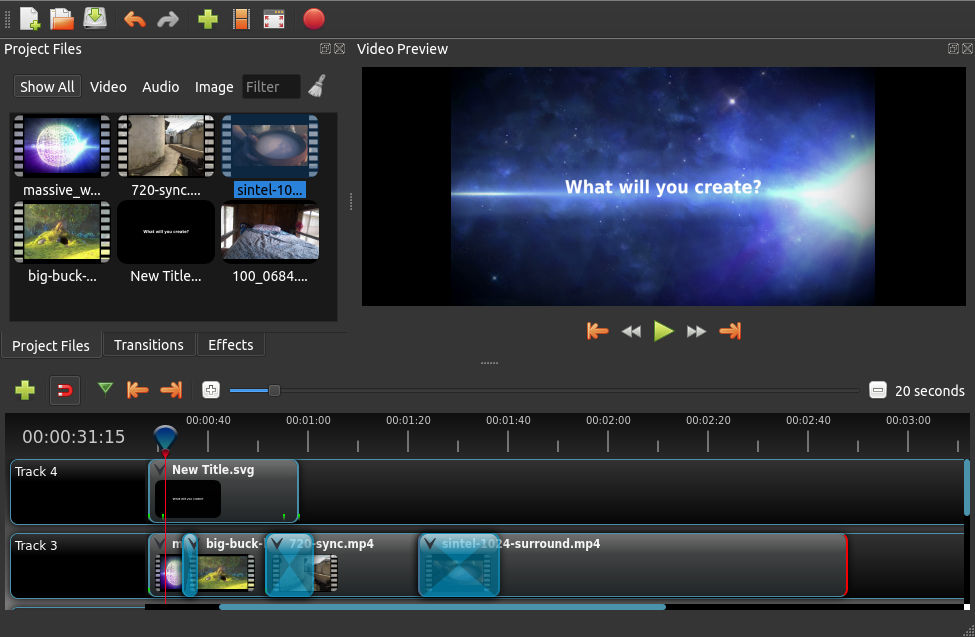
多語 OpenShot 3.5.1 for Windows x64
一套易於使用、學習快速、功能強大的視訊編輯器軟體,而且 100% 免費且開放原始碼。
OpenShot 是以不同的編程語言編成。界面是用Python 及 PyQt5建成。我們的視訊處理終端(libopenshot)是以C++建成,並使用FFmpeg。使用HTML5、JavaScript和AngularJS構建交互式拖放時間軸。我們大部分先進的3D效果和動畫是由Blender支援。